

Pinterest for e-Commerce in 2026: How to Drive Consistent Traffic and Sales
Here’s something most e-commerce marketing managers don’t realise: 80-90% of the website visitors Pinterest sends you are completely new to your brand. They’ve never heard of you. Never visited your site. Never seen your products. And yet, they’re actively searching for exactly what you sell.
That’s the Pinterest difference.
I’ve been helping e-commerce brands succeed on Pinterest since 2015, back when “shoppable pins” were still in beta. A decade later, with 631 million monthly users and sophisticated shopping features, Pinterest is now the visual search engine where people come to plan, research, and buy.
The brands that get this are quietly building steady, qualified traffic and sales while their competitors chase the next viral reel.
Here’s how Pinterest for e-commerce works in 2026, and how to make it work for your store.

How do you stack up for Pinterest?
Take this free, 2-minute quiz to get an honest assessment of your brand’s Pinterest potential. You’ll receive a personalised score and proven tactics I use to help my premium clients grow website traffic and sales with Pinterest.
Why Pinterest for e-commerce actually works
First, clear up one thing: Pinterest is not social media.
It’s a visual search engine. That one shift changes how you should think about it.
On Google, Amazon, or anywhere else, someone searching “Nike running shoes” already knows what they want. You’re competing with Nike and every other big retailer. If you’re a smaller brand, ranking is tough.
On Pinterest, someone types “sustainable running gear” or “cute workout outfits for spring.” They’re in research mode. No brand in mind. They’re planning. And because 97% of searches on Pinterest are unbranded, smaller brands can sit right next to the giants.
Pinterest captures the research phase
Your future customers are on Pinterest long before they’re ready to buy. They’re saving ideas, building boards, and planning projects. A parent might start pinning nursery ideas months before the baby arrives. Someone planning a kitchen renovation might save dozens of pins before talking to a contractor.
That long research phase gives you time to show up again and again. Your products can sit on their boards for weeks or months before they decide to purchase. Familiarity builds trust.
Pinners keep coming back (you get built-in touchpoints)
Here’s how it usually plays out: Someone sees your product on Pinterest. They click through, browse your site, then go back to Pinterest. Maybe they save your pin. Maybe they show it to a partner or friend. Maybe they come back to your site a week later when they’re ready to buy.
You get several touchpoints from a single pin, without extra work. What’s more, those repeat visits help your search presence on other platforms as well.
Your content keeps working for months (or years)
Post on Instagram and you get a spike for 24-48 hours, then it’s gone.
Pinterest is different. Well-made pins can keep driving traffic for months, sometimes years, because they keep resurfacing in search and related feeds. I still have clients whose pins from 2020 send them meaningful traffic today. That’s the upside of search-based discovery over fast-moving feeds.
Pinterest can be a powerful channel for e-commerce brands, but it rarely succeeds without clear structure and ownership. This is often the point where brands pause to consider when it makes sense to hire a Pinterest specialist.
Key Pinterest Stats for e-Commerce brands
What’s new: Pinterest’s latest e-commerce features
Pinterest has rolled out several big updates in 2025 around AI-assisted shopping, better board organisation, and deeper trend data for both users and advertisers. The aim: make discovery feel more relevant, shorten the steps from “I like this” to “I bought this,” and help brands get in front of people who are already close to buying.
AI-powered shopping assistant
In October, Pinterest launched the “Pinterest Assistant,” a shopping assistant tool that users can chat with verbally or over text. It suggests products based on what someone has already saved and how they use the platform, so it’s easier to spot and buy items without leaving the app. Right now it’s in beta for U.S. users and is expected to roll out to other regions later.
New board features
Boards sit at the heart of how people use Pinterest, so the folks at Pinterest are putting extra focus on improving them. New board features are rolling out now to keep everything tidier and easier to use:
- “Make it yours” lets users adjust fashion and home boards with AI-suggested items that fit their taste.
- “More ideas” surfaces related Pins for any board, helping people go deeper into a theme.
- “All saves” pulls every saved Pin into one place so users can find things faster.
- “Boards made for you” and “Styled for you” build auto-updating boards and collages based on someone’s recent activity and saves are currently being tested.

Better product tagging in collages
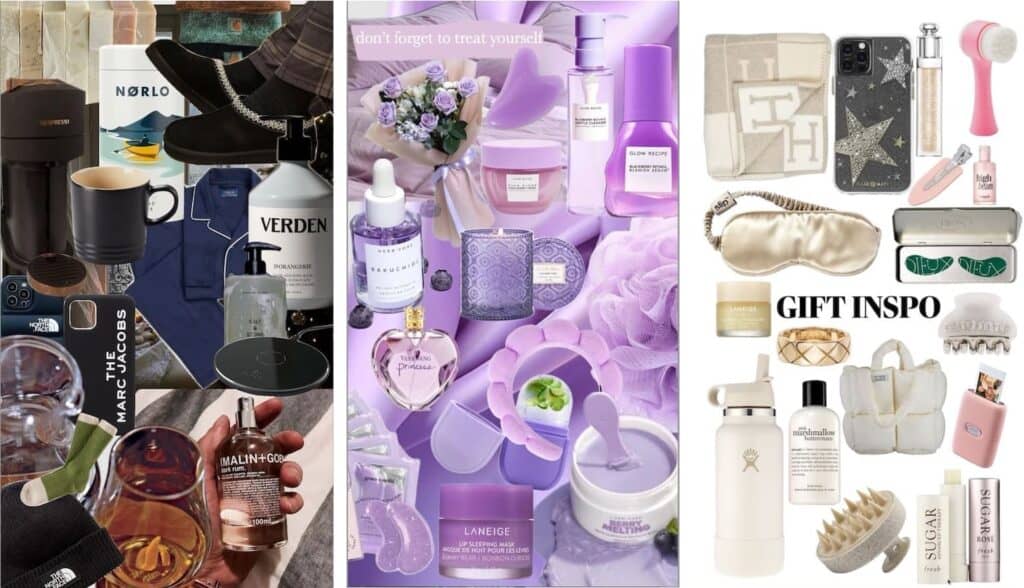
Pinterest upgraded product tagging in the Shuffles app. You can now:
- Create collage-style guides or collections
- Tag multiple products from your catalogue in one image
- Send each tag straight to your product pages
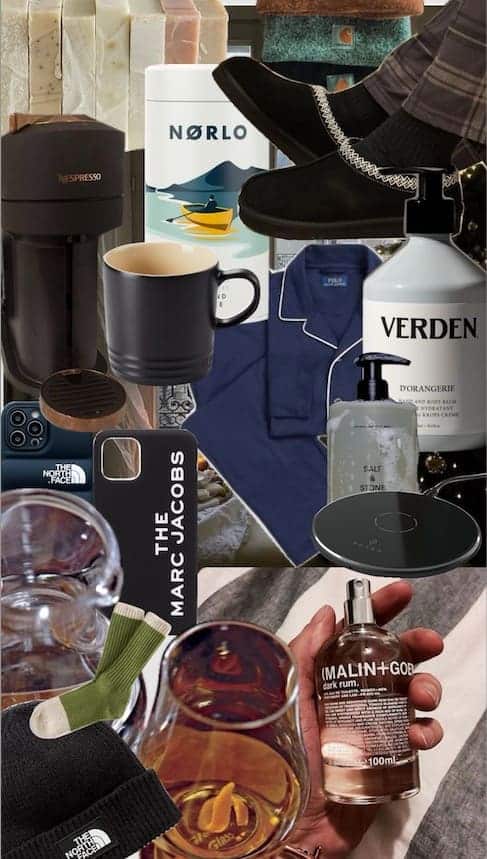
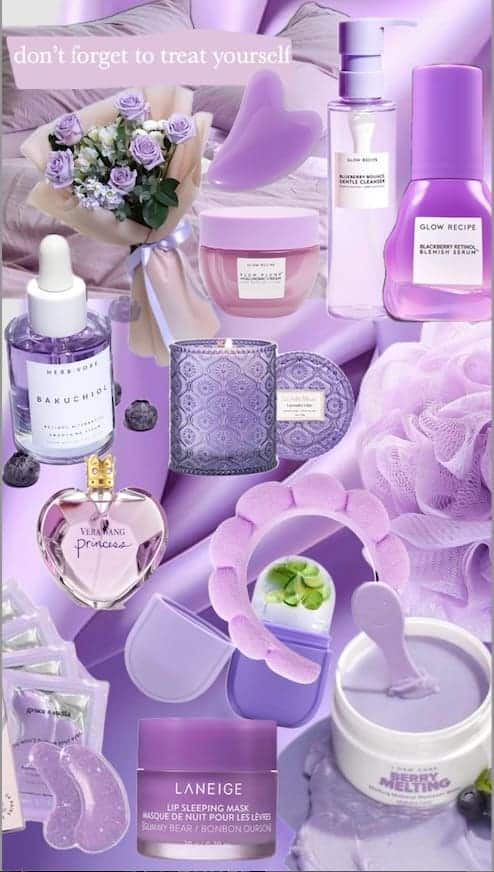
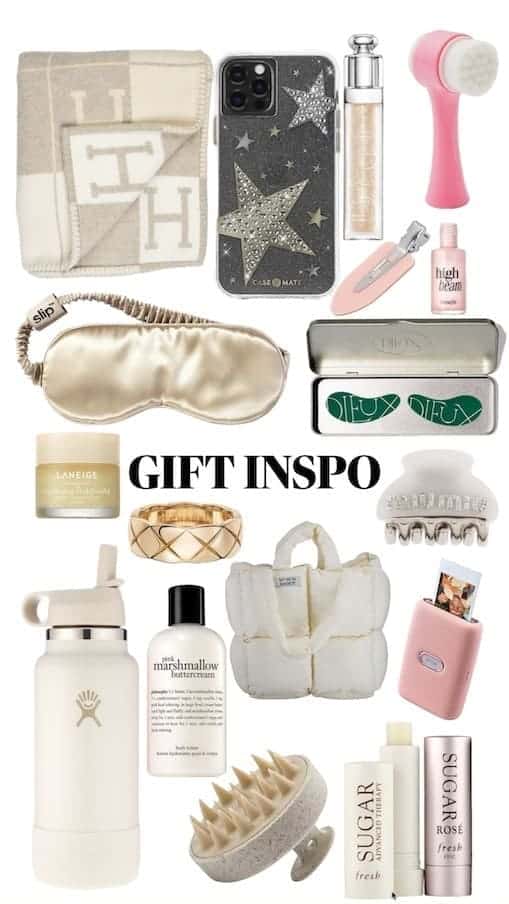
The smart part: when others use cutouts from your product pins in their collages, your items stay shoppable there too. This format is popular with Gen Z, who now make up about 40% of Pinterest’s audience. Here’s how you create them. Auto-collages, a new AI feature that allows advertisers to turn their existing Pinterest product catalogue into new shoppable collages, is also being piloted.
Upgraded Pinterest Trends tool
The Pinterest Trends tool now includes seasonal forecasts, shopping insights, and trend modelling. In practice, this means marketers and creators can:
- Spot rising topics earlier
- Plan launches and content calendars further ahead
- Shape campaigns around what people are likely to search for in the coming months
The tool now covers a longer time frame, so brands can tie creative more closely to when interest peaks.
New ad formats and shopping tools
Pinterest has also added new ad and shopping options:
- Top of Search Ads put brand products in the first ten search results and in Related Pins, giving them prime real estate in search.
- ‘Where-to-Buy’ links help people move from a Pin to a specific store or seller with fewer clicks.
- Local stock visibility and automatic price drop alerts make it easier for users to see what’s available nearby and when prices change.
“Whatever is the easiest way to find information and has the least amount of friction will be most likely to be used for the particular search cases, whether it’s voice, or text, or images” – eMarketer
That’s exactly what Pinterest is focused on. These updates show Pinterest leaning hard into AI tools and shopping features that make the platform easier to browse, more useful for buyers, and more profitable for brands that want to reach people already in research mode.
To stay updated on the latest Pinterest product and company news visit our Pinterest news page which is updated almost daily!
New Pinterest Shopping Features 2025-2026
Who should use Pinterest for e-commerce?
Pinterest works particularly well for:
- Home decor and interior products
- Fashion and accessories
- Beauty and skincare
- Food and beverage brands
- Wellness and fitness
- Gardening and outdoor living
- Parenting and baby products
- Travel accessories and gifts
Anything that’s visual, lifestyle-driven, or giftable tends to perform well. Direct-to-consumer brands in particular tend to do well here, because Pinterest sends qualified, top-of-funnel traffic from people who don’t know you yet. I’ve covered the organic side of that in DTC marketing on Pinterest.
Four factors that determine Pinterest success
1. Visual content quality
Can you create lifestyle images that show your products in real spaces, with real people, in a way your customers want to see themselves? Plain product shots on white backgrounds usually flop on Pinterest.
2. Website conversion readiness
Pinterest can send you great traffic. But it can’t fix a slow site, weak product pages, or a confusing checkout. Your site has to be ready to convert.
3. Audience fit
Is your target audience active on Pinterest? Whilst the platform historically skewed female, male usage is growing steadily and Gen Z now represents 40% of users. Not sure if it’s the right fit for you? Feel free to ask. Connect with me on LinkedIn or evaluate your Pinterest potential here.
4. A coherent strategy
An SEO optimised Pinterest account (Pinterest is a search engine!), clear marketing goals and pre-defined KPIs to measure your success are essential.
Setting up your Pinterest e-commerce foundation
The non-negotiables (do these first)
Convert to a Pinterest Business account
You need a business account to access e-commerce tools. Here’s how to create a Pinterest business account in 3 easy steps.
Claim your website
This connects your domain to your profile. Instructions here.
Install the Pinterest Tag
This code tracks visits and conversions so you can see what’s working and run ads properly. Tag installation guide.
Review Pinterest’s merchant guidelines
Make sure your store meets the requirements before you go further. Check the guidelines here.
Connect your product catalogue
This is one of the most impactful steps you can take, and yet many brands skip it.
If you’re on Shopify:
- Install Pinterest’s Shopify app
- Connect your store
- Sync your products
For other platforms, Pinterest works with major e-commerce platforms and feed tools like Channable and DataFeedWatch. See full list here.
What catalogue connection gives you:
- Every product becomes a pin automatically which is linked directly to the item in your store
- Pins show live prices and stock levels
- You qualify for “Shop Similar” recommendations
- You can run catalogue-based ad campaigns
- You become eligible for Verified Merchant status
PRO TIP: Run catalogue campaigns that dynamically retarget people with a picture of a product that they’ve already viewed on your website.
If you’re on a custom platform or your inventory is small, you can manually upload products via a CSV file, though this requires updating the file whenever products or prices change. You can find out more about how to prepare a manual data source here.
Apply for Verified Merchant status
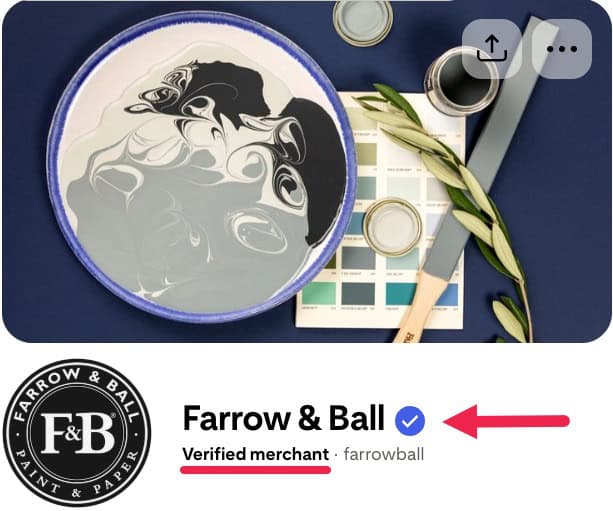
Once your catalogue is connected and your tag is live, apply for the Verified Merchant programme.
That blue badge does two things: it signals trust to shoppers and gives you extra reach. You get:
Apply through your Business Hub or here.
Building your Pinterest Content Strategy
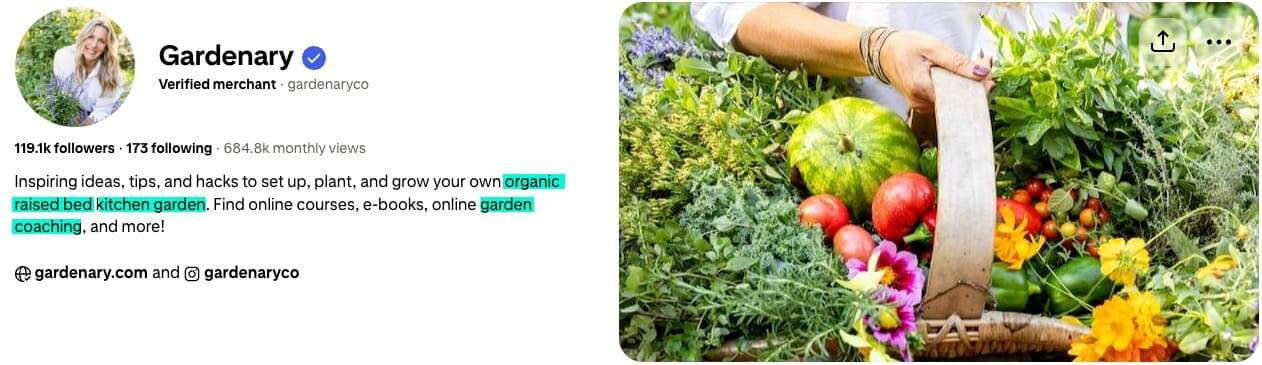
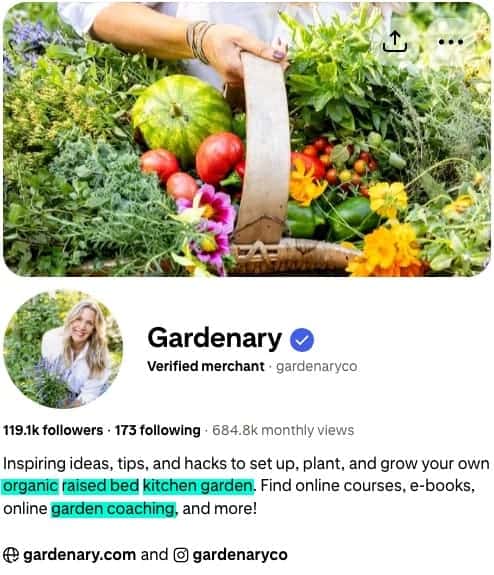
Now that you have the technical setup sorted, the next step is to update the “About” section (brand introduction at the top of your Pinterest page) and plan what type of boards (i.e. content categories) to publish.
Step 1 – Start with keyword research
Keywords are fundamental to your Pinterest success. Pinterest is a visual search engine, so keywords play a crucial role in helping your account and content appear in searches.
Use Pinterest search bar:
- Type in phrases related to your products
- Note the autocomplete suggestions
- These are the exact terms people use
Then use Pinterest Trends (trends.pinterest.com) to see:
- Search volume over time
- When interest in certain topics peaks
Create a master keyword list grouped by product category. You’ll reuse these in:
- Your profile bio
- Board titles
- Board descriptions
- Pin titles and descriptions
For more detail, see Pinterest SEO: 4 Smart Tactics That Will Boost Your SEO Ranking.
Step 2 – Create boards that mirror how people search
Boards are responsible for roughly a quarter of Pinterest’s SEO traffic. Forget “clever” board names no one searches for. Use plain language that matches what people type.
Weak board names:
- Our Collection
- Spring Vibes
- Gift Ideas
Strong board names:
- Small Bathroom Storage Solutions
- Minimalist Spring Wardrobe
- Sustainable Gifts Under £50
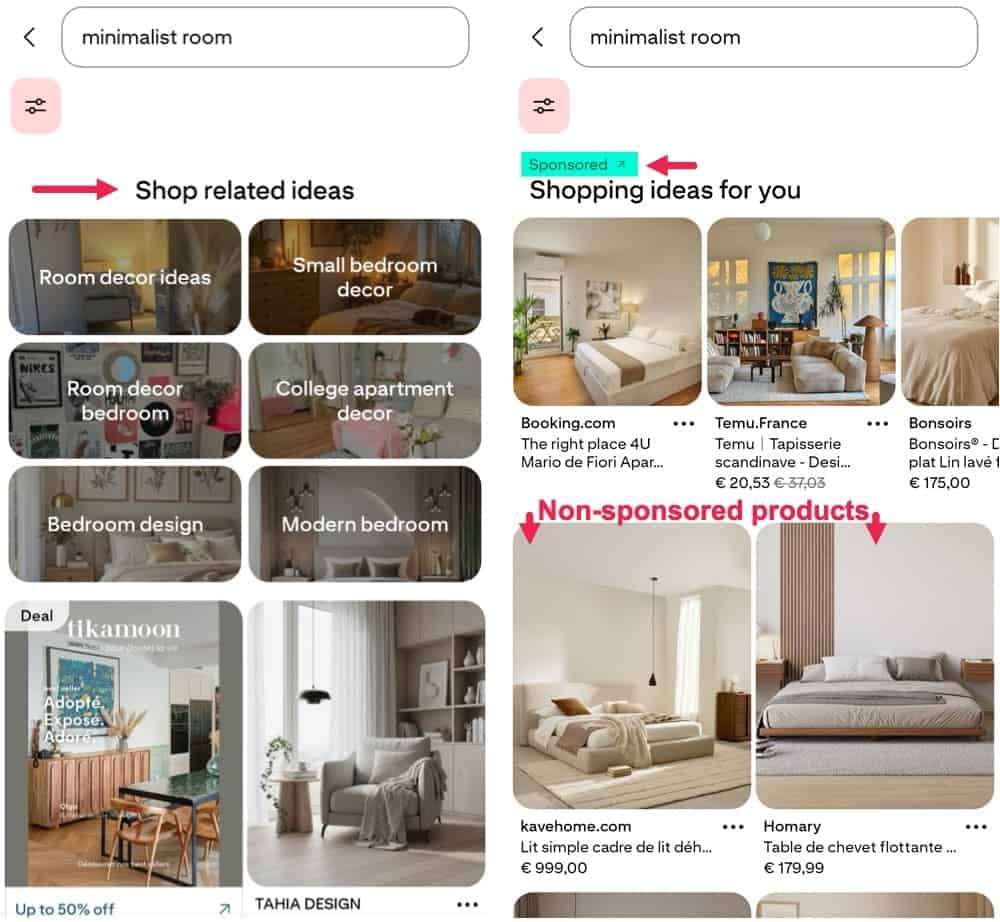
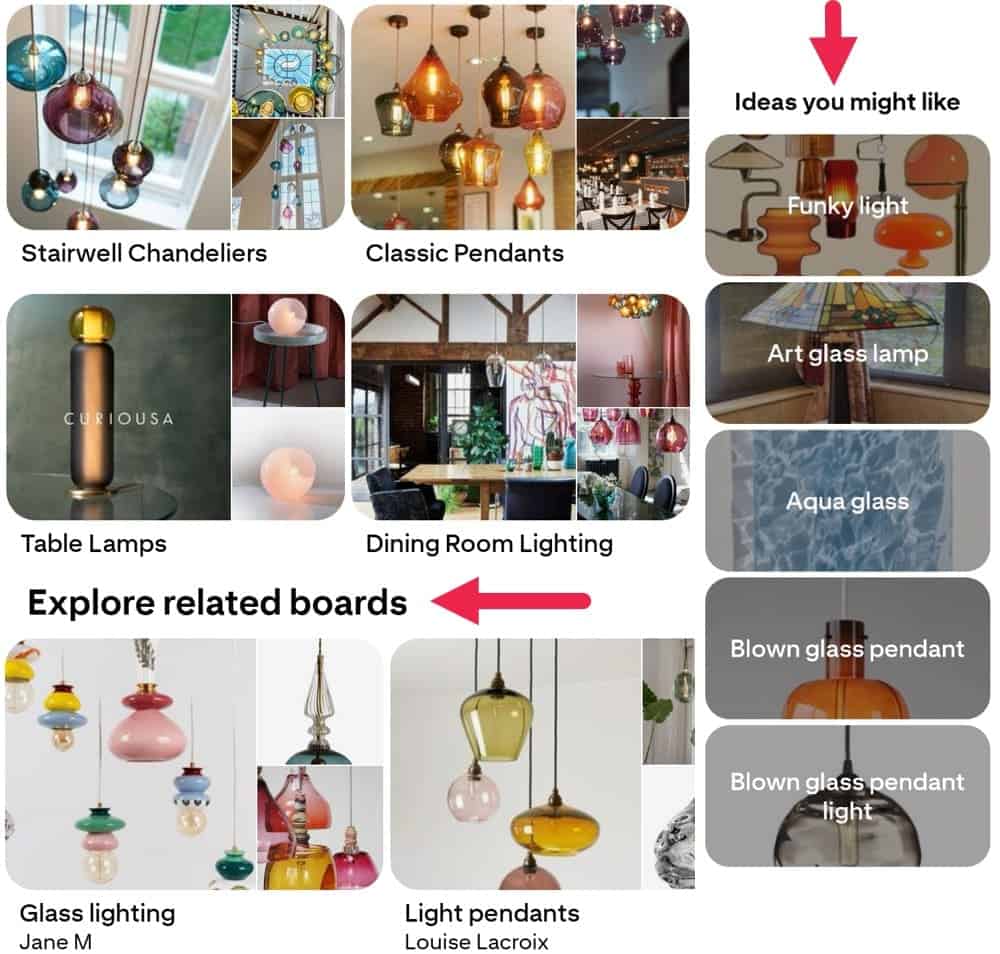
Create 5-10 boards to start, each tied to a clear product group. Write 2-3 sentence descriptions for each board using your main keywords. Related board suggestions and “Ideas you might like” that Pinterest proposes are also a great source for board titles – see examples below:
Step 3 – Create pins that stop the scroll
Create pins that stop the scroll by focusing on three things: strong lifestyle images, clear keywords, and steady posting. Use vertical visuals and consider using Shuffles to build collage-style pins with cut-outs and product tags.
Remember: Pinterest is a search engine. Write pin titles and descriptions with the exact words people use to find your products so they can actually surface in search and feeds.
Pin fresh content often. New images and videos get more reach than repeats.
So, where do you begin? Start with these core Pinterest tactics:
Aim for 3–5 image or video variations for every key product. Different angles and styles reach different people. For a velvet sofa, you could create:
1. Lifestyle shot in a colourful, maximalist room
2. Clean, minimal room where the sofa is the main feature
3. Close-up of the fabric texture
4. Video showing the sofa from all sides
5. Collage showing it styled in three different spaces
Use your main keyword in the first sentence. Add 2–3 related phrases naturally. Spell out what the product is, who it’s for, and why they should care.
Weak: “Beautiful organic cotton bedding in sage green. Shop now!”
Stronger: “Organic cotton bedding that gets softer with every wash. Ideal if you want a calm, hotel-style bedroom. Available in 12 colours including this sage green. Free returns.”
Pinterest favours accounts that publish new content on a regular basis. Aim for:
1. At least 3–5 new pins per week
2. Daily posting if you have the content
3. A steady rhythm you can keep up
Tools like Tailwind can help you schedule pins at the best times. If you already post on Instagram, connect it so posts cross-publish to Pinterest.
Common Pinterest mistakes to avoid
Using fancy product names.
People type “black silk pyjamas,” not “Midnight Dreams Signature Loungewear Collection.”
Relying on white background shots.
Pinterest users want ideas. Show your products in styled rooms, outfits, or real-life setups.
ired. Show them what your product can do for them.
Ignoring vertical formats.
Horizontal and square images get pushed down in favour of vertical pins, because they’re much less visible.
Forgetting to plan for seasons.
Pinterest users start early: Christmas in September, Halloween in July. Post seasonal content 2–3 months ahead.
Skipping catalogue connection.
This is still the biggest missed opportunity. Without it, you miss out on shopping features that make Pinterest work for e-commerce.
Expecting instant results.
Pinterest is a slow build. It often takes months to see the full effect, then it compounds.
PRO TIP: Have a custom 404 page to redirect traffic from sold-out products, because pins stay on Pinterest forever!
Your Pinterest e-commerce action plan
Weeks 1-2: Technical foundation
- Convert to a Pinterest Business account
- Claim your website
- Install the Pinterest Tag
- Connect your product catalogue
- Apply for Verified Merchant status
Weeks 3-4: Strategic setup
- Do keyword research
- Create 5–10 boards with search-friendly titles
- Write keyword-rich board descriptions
- Connect Instagram (if you use it)
Weeks 5-8: Content creation
- Create 15-20 initial pins for key products
- Write strong, search-friendly titles and descriptions
- Experiment with Shuffles collages
- Set a posting rhythm (at least 3-5 pins weekly)
- Check Pinterest Analytics every week
Month 3+: Growth and refinement
- Launch a paid advertising campaign
- Build retargeting audiences
- Create more pins in styles that perform best
- Plan seasonal content ahead of time
- Optimise ad spend behind your best campaigns
That’s the full plan. If you’d rather have it set up and managed by a specialist without adding to your team’s workload, that’s what my Pinterest marketing services are for.
Using Pinterest advertising to speed things up
Finally, you can also pay to promote your pins and speed things up. Promoted pins look like regular pins but have a budget behind them, so they appear more often in search results and home feeds and can drive more traffic and sales.
Once your product catalogue is connected, you can promote product groups and run simple retargeting campaigns to reach people who’ve already visited your site or left items in their cart. It’s a straightforward way to get more of the right eyes on your products, faster.
Pinterest for e-Commerce – FAQ
How do I set up a Pinterest Business account for e-commerce?
To get started with Pinterest for e-commerce, either convert an existing personal account in your settings or create a new Business account from scratch. Then claim your website and connect your shop platform (for example, Shopify) so your products sync to Pinterest as shoppable pins with live price and stock details.
What are product pins and how do they work for sales?
Product pins are shoppable pins that pull in real-time info like price and availability and link straight to your product page. Once your catalogue is connected, Pinterest creates them for you and shows them in search, feeds, and shopping surfaces, making it much easier for people to move from browsing to buying.
Should I use rich pins for my e-commerce store?
Yes. Rich pins automatically pull details like price, stock, and product info from your site, so your pins stay up to date without extra work. After you verify your site and add the right meta tags, rich pins help build trust and can improve click-through and conversions.
How often should I post pins to drive e-commerce traffic?
Focus on steady posting rather than a perfect number. As a guide, aim for at least 3-5 new pins a week to start, and post daily if you have the content. Use tools like Pinterest Trends and a scheduler to stay consistent and match what people are actively searching for. For best results, consider paid advertising to reach your target audience.
Does Pinterest charge fees for e-commerce sales?
No. It’s free to set up a Business account, connect your shop, and use product and rich pins. You only pay if you choose to run ads, and any transaction fees come from your payment provider, not from Pinterest.
Ready to turn Pinterest into a sales channel?
Pinterest for e-commerce isn’t about pinning pretty pictures and hoping. It’s about treating it as a visual search engine and backing that up with three things: clear setup, consistent content and, for the best results, paid advertising. Do that, and Pinterest becomes a steady source of new visitors and sales for years.
Do you have questions about Pinterest for your store? Drop me a message on LinkedIn or book a call. Always happy to talk Pinterest!
You’ll see the value of working with Mary from day one
“Since working with Mary, we have seen tremendous growth in revenue from this channel and continue to hit milestones and reduce cost per acquisition.”

Discover Your Brand’s Pinterest Potential in Just 2 Minutes
Most of my clients were once asking themselves exactly the same question. Now they’re generating consistent traffic and seeing real ROI from their Pinterest marketing efforts.
Pinterest might just be perfect for you. Meet your next top traffic source?
This Quick FREE Quiz Analyses:
Most of my clients were once asking themselves exactly the same question. Now they’re generating consistent traffic and seeing real ROI from their Pinterest marketing efforts.
Pinterest might just be perfect for you. Meet your next top traffic source?
the Pinterest Conversion Predictor
In 2 minutes this FREE test analyses:
Pin for later!
Mary Lumley – Pinterest Marketing for eCommerce & Travel / Pinterest for e-Commerce in 2026: How to Drive Consistent Traffic and Sales
